For company support teams
Browser-based remote support: guide customers by looking at the same screen, with their consent.
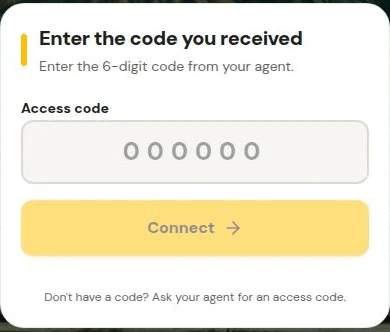
Remote Support uses browser screen sharing and a six-digit code. Your agent can share their screen to show a customer what to do, or the customer can choose to show theirs. It is guidance, not control: nobody can operate the customer's device, and there is no unattended access.
Who it fits
- Teams that guide customers through application setup or filling in a form while looking at the same page.
- Teams that show customers a workflow by sharing the agent's own screen.
It is not for unattended administration of machines, and it is not a staffed helpline: agents join consultations when they are available.
How a consultation runs
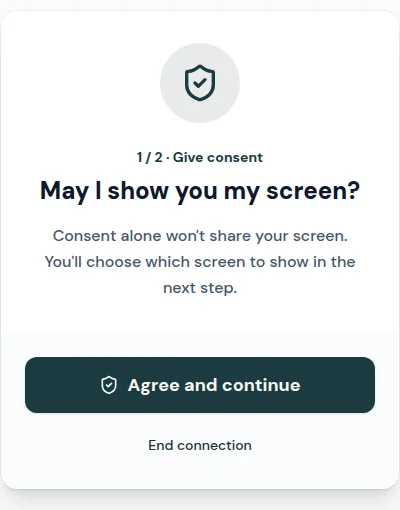
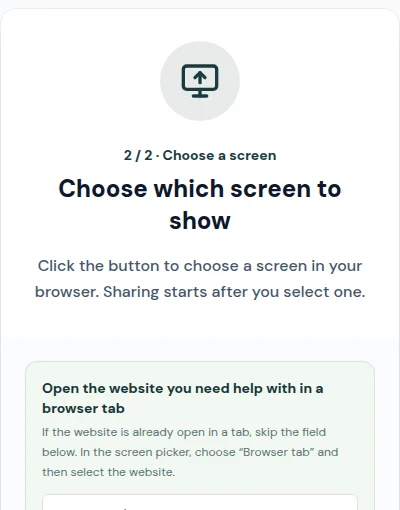
The screens below are from the customer's side of the real flow.
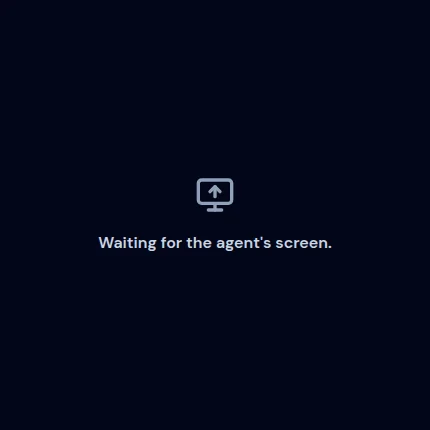
A customer ends their shared screen with Stop sharing, or by closing or reloading the customer page. If the agent is the one sharing, the customer's screen is not published, and an agent switching what they share may pause the view rather than end the consultation. Details are in the screen sharing guide.
One company price, not per agent
Every agent draws from the same pool of included time. Only connected sharing time is counted, and overage is prorated to what was actually used. Customers are never billed. Checkout is handled by FastSpring; see the Terms of Service and Privacy Policy.
Start solo: sign up, set up the desk, then invite agents when you are ready.
- Monthly company price
- $10 USD per month
- Included connected sharing
- 3 hours, pooled
- Each additional hour
- $0.25, prorated
Questions teams ask
Can an agent take control of a customer's computer?
No. Remote Support is shared-screen guidance. One person shows a screen and the other watches while you talk or chat. There is no unattended access and no remote control of the customer's device.
Does the customer have to share their screen?
No. A customer must consent and then pick what to show in the browser's own picker, and can deny or cancel at any point. Alternatively, the agent can share their screen to walk the customer through steps, and the customer's screen is not published in that direction.
Is the customer charged?
No. Customers who enter a six-digit code are not billed. Billing is per company.
How is usage counted?
Connected sharing time counts, pooled across the whole company. Waiting, disconnected, or stopped-sharing time is not intended to count. To be transparent: usage is tracked from connection-state reports, not by verifying that video frames were delivered, so we do not promise that a connected session with no visible picture is free of charge.
What does the plan cost?
USD 10 per month per company, which includes 3 hours of connected sharing. After that, USD 0.25 per additional hour, prorated to the actual connected time. It is not priced per agent.
How do we start?
Sign up on your own first and set up your support desk, then invite your agents. You do not need your whole team ready on day one.
Will an agent always be available?
A support desk being set up does not mean agents are staffed around the clock or that responses are immediate.
Does it work on every device and browser?
Browser permissions, operating system settings, and network conditions affect screen sharing. Viewing a shared screen and capturing your own are different capabilities, and availability depends on the browser and device; we have not verified a mobile matrix. See the screen sharing guide for details; we make no guarantee for any specific device.
Who runs this and how do I ask something else?
Remote Support is operated by Bizcomco Inc. Write to junelee@netsprint.net.
Have a code from an agent? Enter it here. Ready to start? Create a support desk.